
In this article
If you’ve spent any time looking into fiber Internet, you’ve probably run across terms like GPON, XGS-PON, OLT, and ONT. These are all parts of what’s called a Passive Optical Network, or PON. Most residential fiber providers use PON because it lets them connect alot of homes without having to pull a separate fiber from the central office to each address. This article explains how a PON network works and why ISPs build them this way.
The Basic Idea
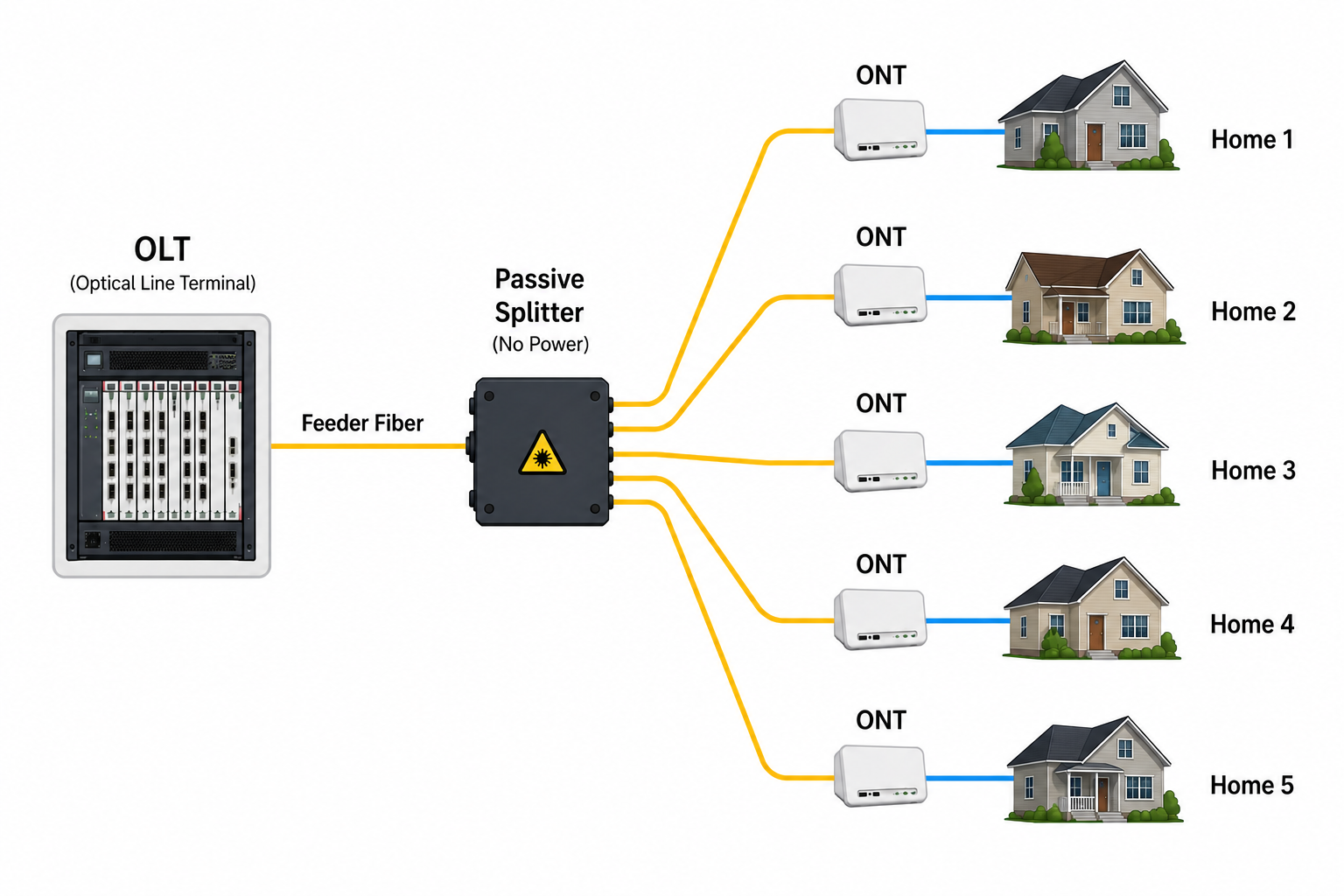
A Passive Optical Network starts at an Optical Line Terminal (OLT) in the provider’s central office or headend. Rather than running a separate fiber and switch port for every subscriber, the OLT sends traffic down a shared feeder fiber. That feeder hits a passive optical splitter out in the field, which splits the light into multiple distribution fibers.
Each distribution fiber continues toward one customer, where it terminates at an Optical Network Terminal (ONT). The ONT converts the optical signal into standard Ethernet that connects to the customer’s router or gateway.
The word passive is important here. The splitter sitting in the field contains no electronics, requires no power, and has no software to manage. It simply divides incoming light into multiple paths.
Following the Fiber
A typical residential deployment looks something like this:
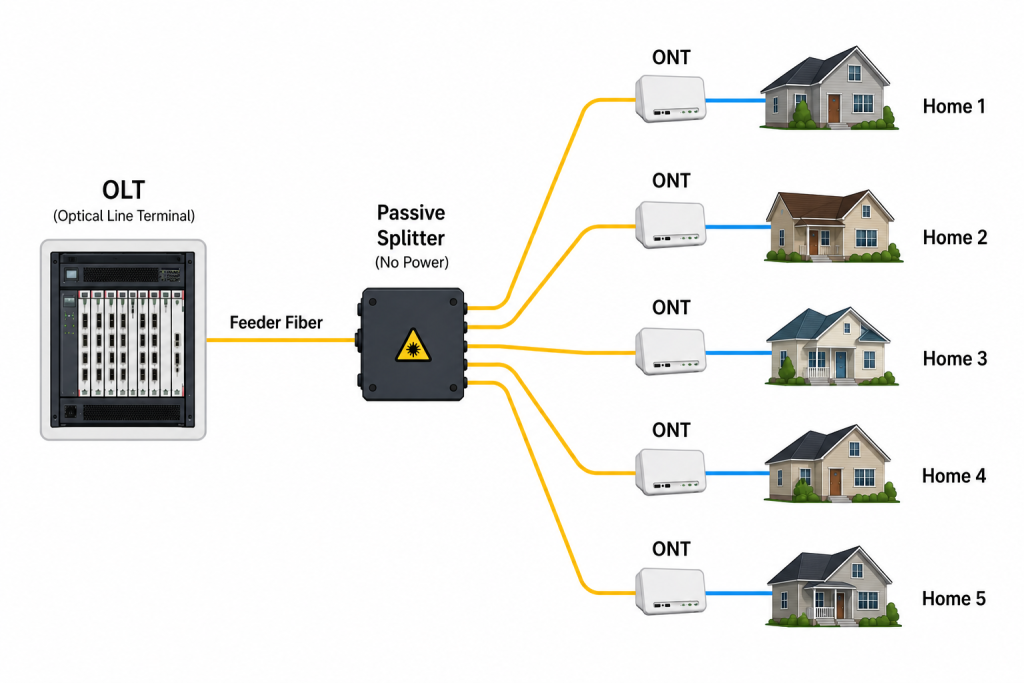
A single feeder fiber from the headend can serve dozens of homes before you need to run another feeder line. Instead of dropping powered Ethernet switches all over the neighborhood, the provider just puts passive splitters in small enclosures such as small vaults in the ground.
This cuts down on the amount of gear sitting out in the field and means you don’t need commercial power or battery backup at those spots. In the old days, we would call this the central office. In today’s modern deployments, a cabinet at the side of the road is enough. Gone are the days of massive buildings.
What Does the OLT Do?
The OLT is the provider’s side of the connection. It communicates with every ONT connected to that PON while controlling how traffic moves upstream and downstream. One OLT chassis may support hundreds or even thousands of customers simply by adding more PON ports.
The OLT also authenticates new ONTs as they come online. Once a customer’s equipment is authorized, the OLT applies settings unique to the customer or ISP. Some things being done are provisioning speed and security.
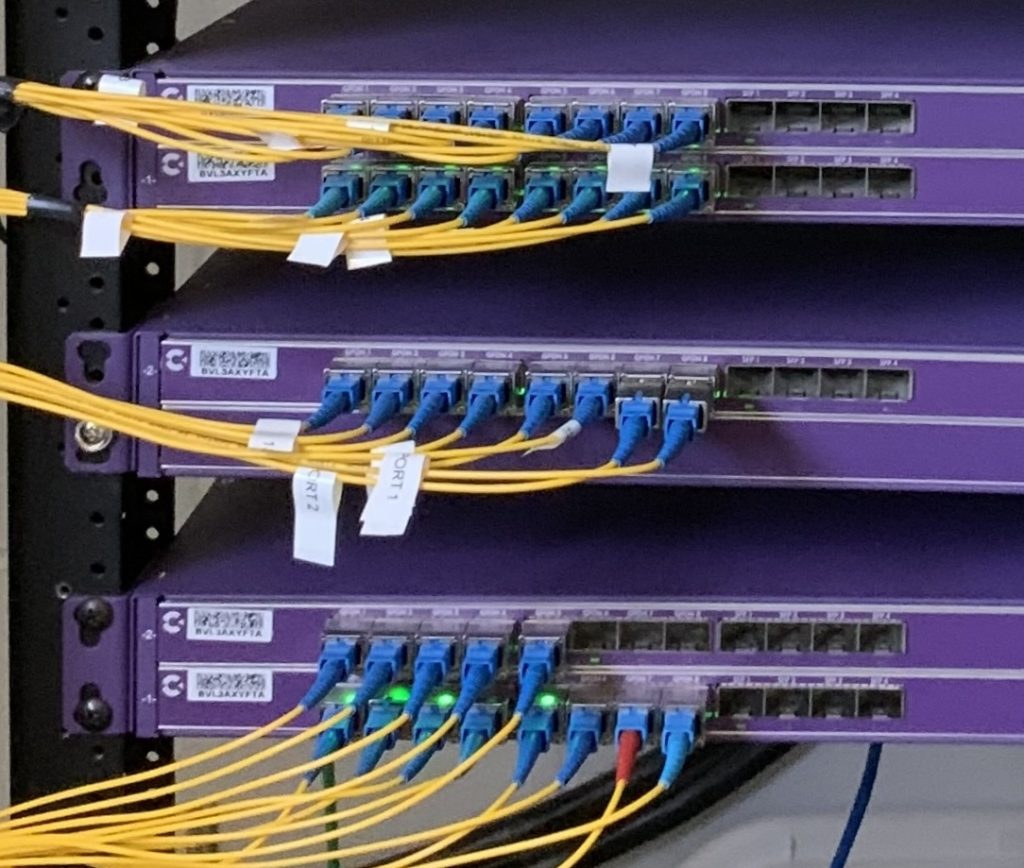
Any OLT is an interface not necessarily a router. Its primary purpose is to manage and direct the PON network. We are seeing a trend toward OLTs becoming routers, but this increases vendor lock-in and makes the network less modular.
What Does the ONT Do?
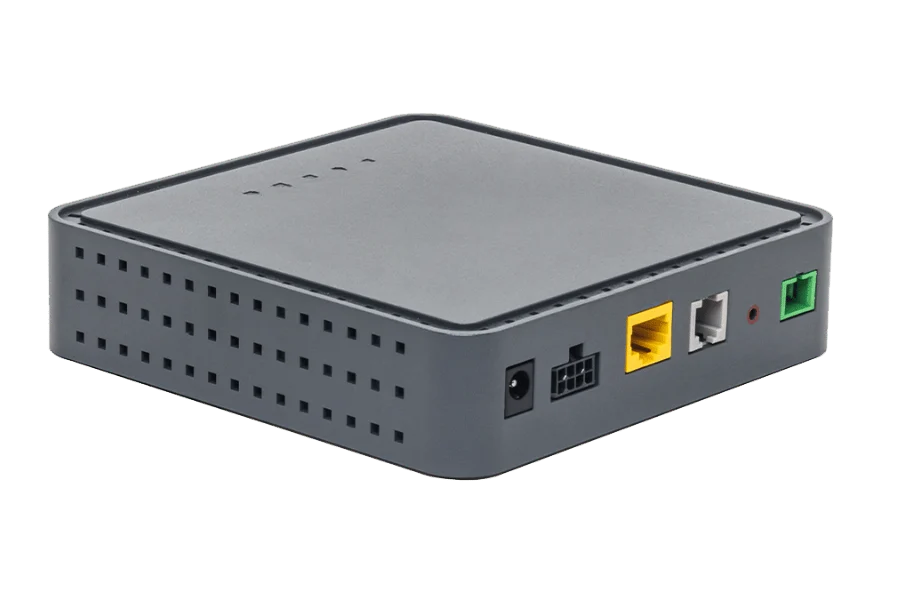
The ONT lives at the customer site. Its main job is to turn the optical signal into Ethernet. Most residential ONTs have one or more RJ45 Ethernet ports. Some also come with phone ports for voice or RF outputs for TV, though IPTV has replaced old-school RF video in a lot of places.
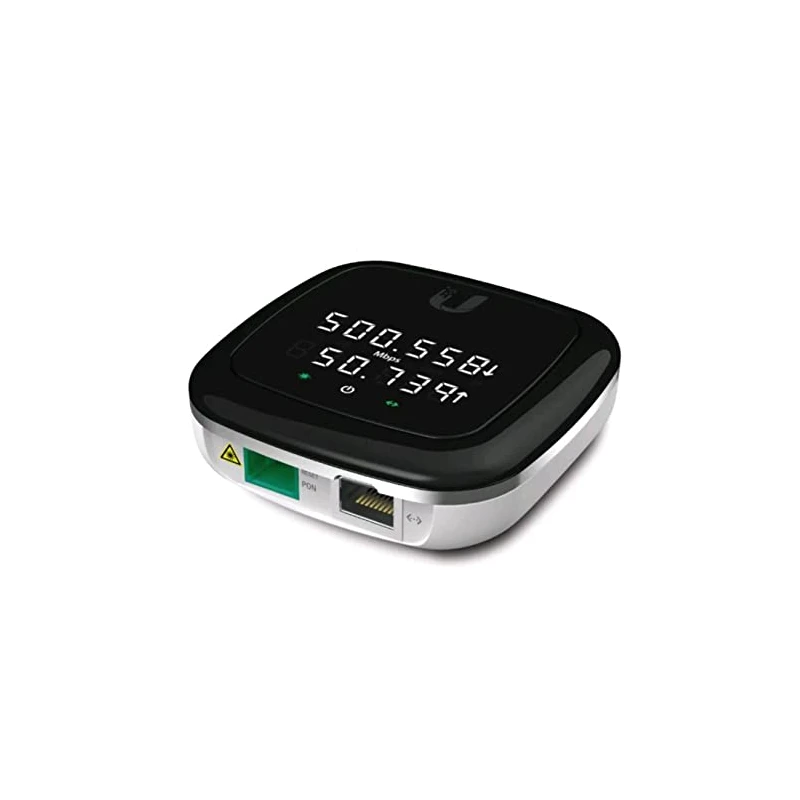
From the customer’s perspective, the ONT acts like a modem. The provider’s fiber plugs into one side, and the home router connects to the Ethernet port on the other. As speeds increase, things such as 2.5-gigabit and even 10-gig ports are becoming standard on some ONTs. Some ONTs have built-in Wi-Fi routers and firewalls. Some are basically a media converter.
How Multiple Customers Share One Fiber
A common question is how multiple customers can share the same physical fiber without stepping on each other’s traffic. Downstream, the OLT broadcasts to every ONT on that PON segment. Each ONT checks the frames and only keeps what’s meant for it. Anything for other subscribers gets dropped. it’s slightly more complicated than this but not much.
If every ONT transmitted whenever it wanted, their optical signals would collide on the shared fiber, so upload traffic is treated a little differently. Instead, the OLT assigns transmission windows to each ONT using Dynamic Bandwidth Allocation (DBA). Each customer transmits only during their assigned time slot. The OLT continually adjusts those assignments based on demand, allowing many subscribers to efficiently share the same path. In the Ethernet world, these are called collisions.
Understanding what a split ratio is
A passive splitter can divide one feeder fiber into many customer connections. Common split ratios include:
- 1:16
- 1:32
- 1:64
- 1:128 (not as common but achievable)
Higher split ratios let one OLT port serve more subscribers, but every split reduces optical power reaching the ONT. A larger split also means more customers share the available bandwidth on that PON. More subscribers or more distance is usually the driving factor.
Providers have to balance how many subscribers they want to serve and how much optical power they have to work with. In a dense neighborhood, a higher split ratio might make sense. Out in the country, longer fiber runs usually mean fewer splits to stay within the optical budget. It’s basic physics: the more you split, the weaker the signal gets. Every split shortens the distance the light can travel.
GPON vs. XGS-PON
GPON delivers 2.5 Gbps downstream and 1.25 Gbps upstream across the shared PON network. Many residential fiber networks use GPON. GPON is also being used in many apartment and MDU settings.
XGS-PON bumps capacity up to 10 Gbps both downstream and upstream. That extra bandwidth means faster residential service and lets more customers share the same PON during peak times. The basic architecture doesn’t change as speeds go up—the intelligence is all in the ONT and OLT hardware.
Why ISPs Like PON
Running a dedicated fiber from the central office to every home eats up fiber strands, switch ports, rack space, and power. PON cuts all that down by letting many subscribers share a single optical port and feeder cable.
The passive splitter also means there’s no powered gear out in the field. That lowers maintenance costs and removes another spot that would need power, batteries, or weather protection.
For residential FTTH, those savings really add up once you’re serving hundreds or thousands of homes.
PON Isn’t Perfect
Every customer on a PON shares the available bandwidth on that segment. Most of the time, nobody notices because residential traffic goes up and down during the day. If a lot of people are using the network heavily at once, each customer might see less bandwidth until the OLT can schedule more transmission slots.
Troubleshooting PON is a bit different too. Optical loss, dirty connectors, bad splitters, or too much attenuation will impact every customer downstream from the problem. Measuring optical power and knowing the splitter layout is key in a PON setup.
What’s Next?
Now that I’ve covered how a Passive Optical Network works, the next article will look at the other major fiber access architecture: Active Ethernet. I will compare dedicated point-to-point fiber, Ethernet switching, and why many enterprise providers still choose Active Ethernet instead of PON.
j2networks family of siteshttps://j2sw.com
https://startawisp.info
https://indycolo.net
#packetsdownrange #routethelight
Discover more from Justin Wilson (j2sw)
Subscribe to get the latest posts sent to your email.