
In this article
In Part 1, we covered how to use Cloudflare Tunnel to protect MikroTik management access. We configured a connector inside the management network and used Cloudflare Access to authenticate users before allowing them to reach WebFig. The router no longer needed a public-facing management port.
Most of us MikroTik administrators spend more time in WinBox than WebFig. WinBox uses TCP port 8291, and it does not work like a normal HTTPS application. We can still use Cloudflare Zero Trust to reach it, but the configuration is different.
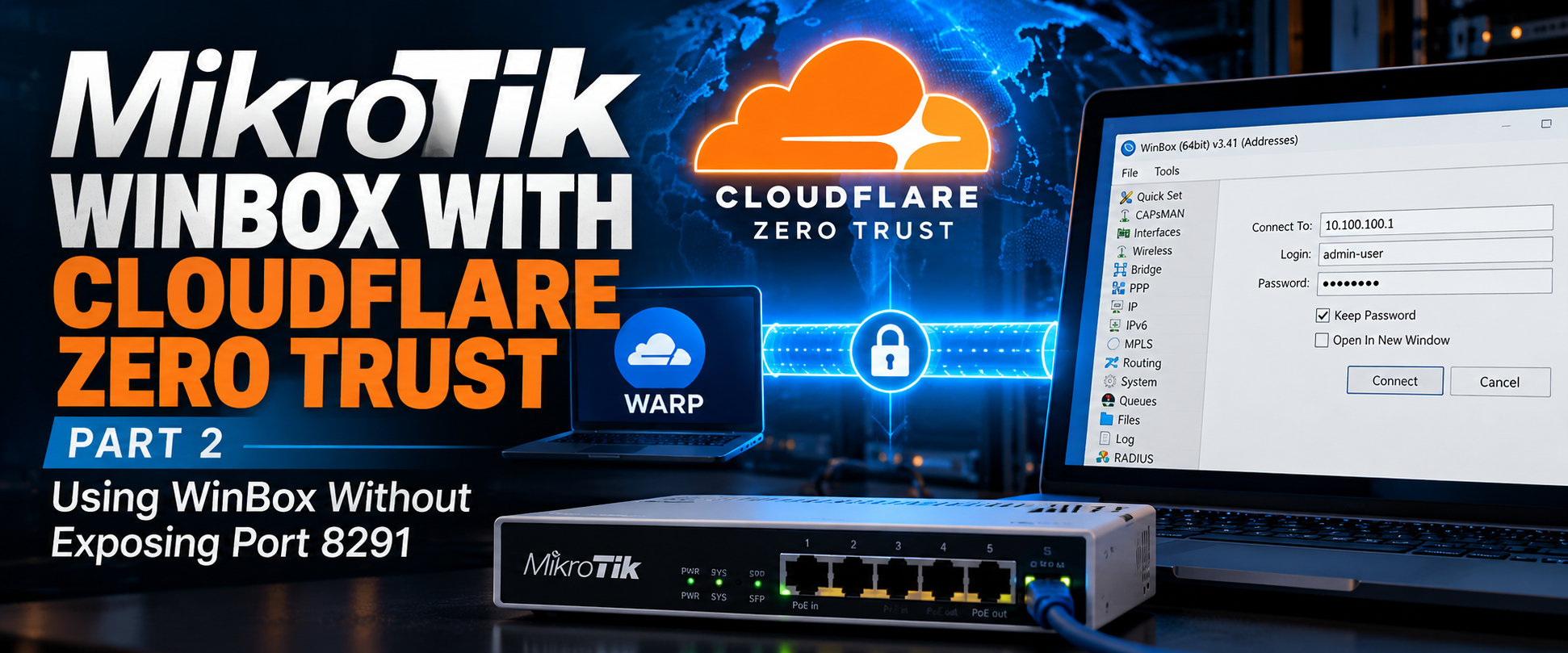
For this setup, we will use Cloudflare’s private network routing and the Cloudflare One Client, formerly known as WARP. This lets you connect to a private MikroTik management address through Cloudflare without opening TCP/8291 on the public firewall.
How WinBox Works Through Cloudflare
WinBox connects directly to a router using TCP/8291 when you enter an IP address. Cloudflare Access can protect a web application by presenting a login page before forwarding HTTPS traffic. WinBox cannot use that browser.
Instead, we can route the management subnet through Cloudflare. Your computer runs the Cloudflare One Client, which establishes a connection to Cloudflare after the user authenticates. Cloudflare then forwards permitted traffic through the tunnel connector to the private network.
For this example, we will use the following addresses:
| Component | Address |
| Management VLAN | 10.100.100.0/24 |
| MikroTik router | 10.100.100.1 |
| cloudflared connector | 10.100.100.10 |
| WinBox service | TCP 8291 |
The connector already exists from Part 1. We will extend that tunnel to support private network routing rather than creating a separate tunnel for each router.
Adding the Management Network to Cloudflare
In the Cloudflare dashboard, go to Networking > Routes and select Create route > Tunnel CIDR. Select the tunnel created in Part 1. Enter the management network:
10.100.100.0/24Save your route. Cloudflare now knows which connector should handle traffic destined for that subnet. This does not grant every enrolled user permission to reach it. We will restrict access with Gateway network policies.
You can also advertise a single router address as 10.100.100.1/32 instead of the entire subnet. I prefer starting with a single address while testing.
Configuring the Cloudflare One Client
Your laptop needs the Cloudflare One Client installed and enrolled in the Zero Trust organization. The client must use a traffic-capable mode, not DNS-only mode. Once connected, the client can forward traffic for the management subnet through Cloudflare.
There is one setting that can cause confusion. By default, the client excludes common private IP ranges from its tunnel. If we leave 10.100.100.0/24 excluded, WinBox will try to reach the address through the laptop’s normal network connection.
Open Zero Trust > Team & Resources > Devices > Device profiles and edit the appropriate profile.
For a management-only deployment, I would use Split Tunnels in Include mode with:
Include:
10.100.100.0/24
If you use Exclude mode instead, remove the exclusion that covers the management subnet. Be careful with a broad exclusion such as 10.0.0.0/8. Cloudflare documents both modes, and the correct choice depends on how the laptop already routes its traffic.
Connecting to the Router with WinBox
With the client connected, open WinBox and enter:
Connect To: 10.100.100.1
Login:      admin-user
Password:   Your router password
WinBox sends its TCP connection to port 8291. The laptop routes that traffic through Cloudflare, which forwards it to the cloudflared connector. The connector opens a connection to 10.100.100.1:8291 on the management network.
The router still performs its normal username and password authentication. Cloudflare authenticates you and controls network access, but it does not replace RouterOS user accounts.
One limitation is WinBox Neighbor Discovery. The discovery feature uses Layer 2 mechanisms that are not carried across this private IP tunnel. Connect using the router’s IP address instead of relying on its MAC address.
Restricting WinBox Access on the MikroTik
RouterOS should still limit which systems can reach its management services. I covered additional service restrictions in Best Practices to secure MikroTik routers. Cloudflare’s tunnel does not remove the need for local firewall rules.
For this example, the cloudflared connector has the address 10.100.100.10. The router is 10.100.100.1.
First, restrict the WinBox service:
/ip service
set [find name=winbox] address=10.100.100.0/24
For a more restrictive setup:
/ip service
set [find name=winbox] address=10.100.100.10/32
With this connector-based private routing setup, the router normally sees the connection coming from the connector’s local address, not your home IP address.
If you want to restrict access at the firewall, add an explicit rule for the connector:
/ip firewall filter
add chain=input \
    action=accept \
    src-address=10.100.100.10 \
    dst-address=10.100.100.1 \
    protocol=tcp \
    dst-port=8291 \
    comment="Allow WinBox from Cloudflare connector"
Place this rule above any input-chain drop rule that would block the connection. Keep existing established-connection and local management rules intact. If you want to block WinBox from other sources, confirm your local recovery path first and then apply a deny rule to the remaining traffic.
I would test this through a local console or a working management session before tightening the firewall. An incorrect rule can lock you out of the router. Safe mode is also your friend.
Creating a Gateway Policy for WinBox
The tunnel route determines where the traffic goes. A Gateway network policy determines which enrolled users can send it.
In Cloudflare Zero Trust, open the Gateway network policies and create a rule that allows TCP/8291 to the router for an approved administrator group.
For example:
| Setting | Value |
| Action | Allow |
| Destination IP | 10.100.100.1/32 |
| Destination port | 8291 |
| Protocol | TCP |
| User identity | Network administrators |
| Device posture | Managed device, if configured |
The identity rule should match the engineers authorized to manage the router. Put an appropriate block policy below it to prevent other enrolled users from accessing the management subnet. Test the policy with a second user who should not have access.
For private network connections, Cloudflare uses Gateway network policies rather than the browser-based Access application flow used for WebFig.
Troubleshooting WinBox Connections
When WinBox cannot connect, I would start by checking whether the laptop can establish a TCP session to port 8291. A failed connection does not always mean the Cloudflare tunnel is down.
On macOS or Linux:
nc -vz 10.100.100.1 8291On Windows PowerShell:
Test-NetConnection 10.100.100.1 -Port 8291If the connection fails, check the client routing profile first. The management subnet must be included in the Cloudflare tunnel path. A conflicting VPN route can also cause traffic to leave through the wrong interface.
Next, verify that the connector itself can reach the router:
nc -vz 10.100.100.1 8291Run this command on the Linux machine hosting cloudflared. If it fails locally, Cloudflare cannot fix the problem. Check the MikroTik input firewall and confirm that the WinBox service is enabled.
On RouterOS:
/ip service print where name=winboxCheck the firewall counters:
/ip firewall filter print statsIf the connector reaches the router but the remote laptop cannot, inspect the Gateway network policy logs and the device’s Split Tunnel configuration. The tunnel status should also be healthy in Cloudflare.
Managing Multiple MikroTik Routers
A single connector can provide access to several routers as long as it has IP connectivity to their management addresses.
Suppose an ISP has three routers on different management networks:
| Router | Management address |
| Core Router | 10.100.100.1 |
| Distribution Router | 10.100.101.1 |
| Tower Router | 10.100.102.1 |
If the connector has routes to all three networks, Cloudflare can advertise those management prefixes through the tunnel.
I would avoid advertising a large block such as 10.0.0.0/8 unless the design requires it. A smaller route limits accidental reachability. It also makes troubleshooting easier when there is the possibility of overlapping private address space at remote sites.
Cloudflare supports virtual networks for overlapping address ranges. If two locations both use 192.168.88.1, separate virtual networks can keep those routes from colliding.
What Happens When Cloudflare Is Unavailable?
If the tunnel connector goes offline, you will lose that remote path to WinBox. The router itself continues forwarding traffic. Local WinBox and SSH access still work as long as the management network is reachable.
For an ISP, I would keep a separate recovery path. That might be a management circuit through another provider or a console server reachable over an independent connection. If the primary router loses Internet connectivity, its Cloudflare tunnel may disappear at the same time you need to troubleshoot it.
You can run multiple cloudflared connectors for availability. Place them on separate hosts and make sure each can reach the management network. This protects against a connector host failure, but it does not replace an independent out-of-band connection.
A Few Things I Would Check Before Using This in Production
I would first confirm that the router is no longer accepting WinBox connections from the public Internet. Then I would test the Cloudflare connection from an outside network, not from a laptop already connected to the management VLAN. The test needs to prove that the private route works through the tunnel.
I would also try connecting with an unauthorized Cloudflare account. Cloudflare Gateway permits unmatched network traffic by default, so an allow policy alone is not enough. The management subnet needs an explicit block policy for everyone else, with the administrator allow policy taking precedence.
Keep the router’s local user accounts in place. Cloudflare controls which users can reach TCP/8291, while RouterOS still controls who can log in and what permissions they receive. For troubleshooting, compare Cloudflare’s connection records with RouterOS login logs rather than assuming that a successful Cloudflare connection means someone logged into the router.
j2networks family of siteshttps://j2sw.com
https://startawisp.info
https://indycolo.net
#packetsdownrange #routethelight
Discover more from Justin Wilson (j2sw)
Subscribe to get the latest posts sent to your email.