
In this article
5 minute read time.
Justin Wilson j2sw.com
When you configure a BGP session, one of the first questions is what routes you actually want to receive. If you have ever filled out a questionnaire with Hurricane Electric or another transit provider, they ask you what “kind” of routes you want. In this article, I plan to shed some light on full routes vs. default vs. detailed.
Default Route
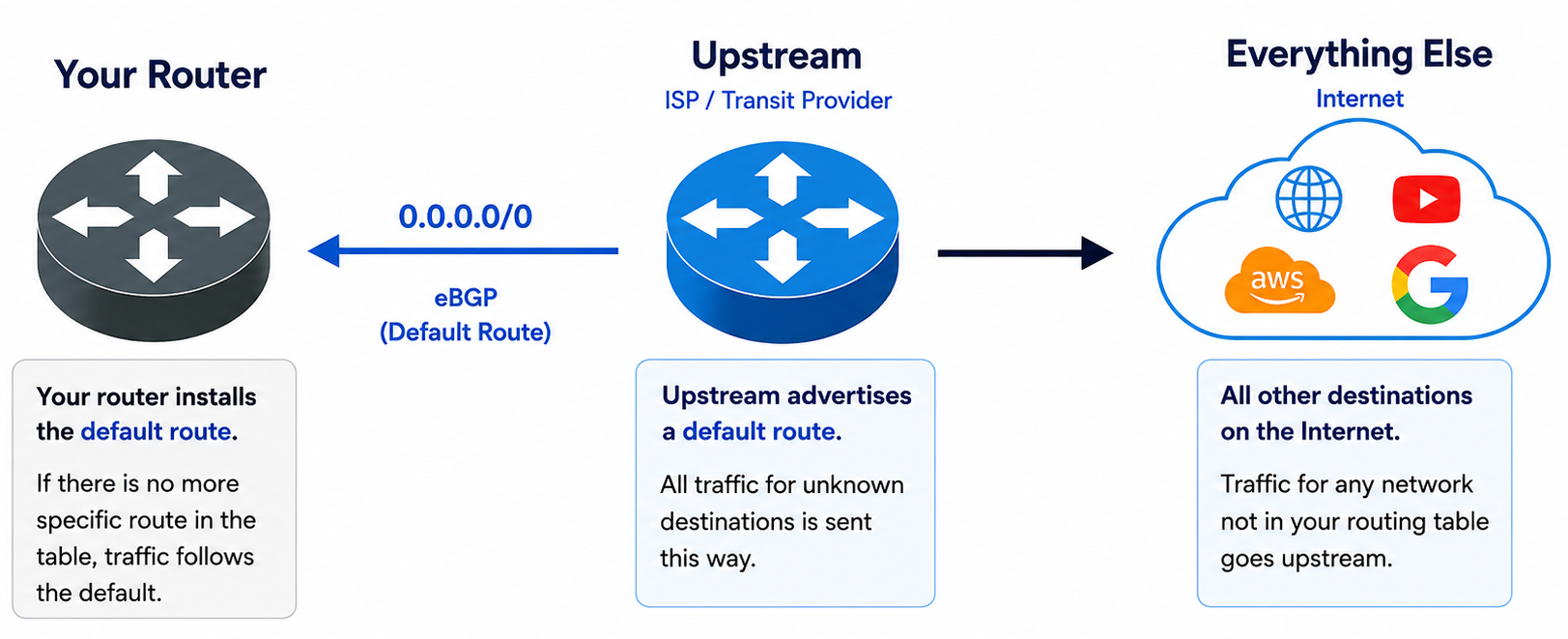
A default route is the simplest option. Instead of learning hundreds of thousands or millions of prefixes, your router receives one route:
0.0.0.0/0
For IPv6, the equivalent is:
::/0
When the router cannot find a more specific destination in its routing table, it forwards the packet using the default route. If a default route is the only route, this is also known as the “gateway of last resort”. The router blindly sends it out the default gateway (route) because that is what it knows to do.
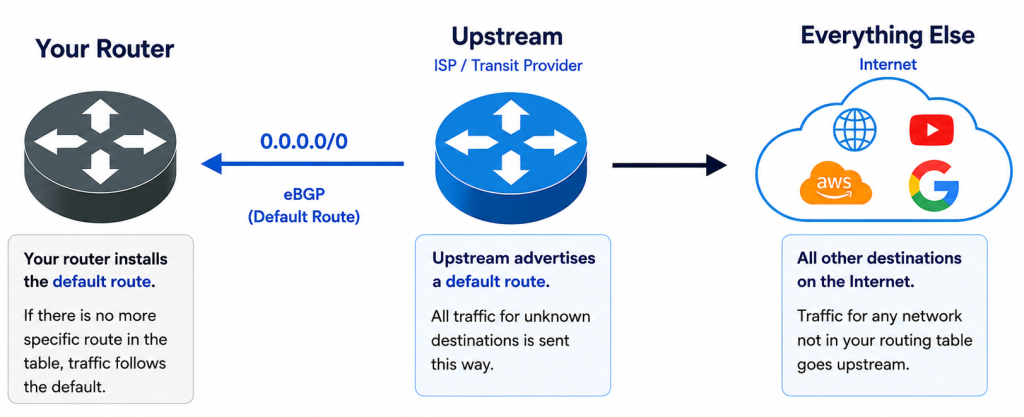
The default route only keeps the routing table extremely small. Many enterprise networks and small ISPs use only a default route because they have a single upstream connection. A default route is what you get from your home or small business ISP.
The tradeoff is that BGP has very little information to work with. If you have two providers sending only default routes, the router cannot choose one provider for Microsoft and another for Amazon because both paths say “send everything this way.” Traffic engineering becomes much more limited.
Full Routes
A full routing table contains nearly every publicly routable IPv4 and IPv6 prefix on the Internet. Today that means well over one million IPv4 routes and hundreds of thousands of IPv6 routes, and those numbers continue to grow.
With full routes to more than one ISP, your router knows multiple possible paths to every destination on the Capital I Internet. BGP can compare attributes such as Local Preference, AS Path, MED, and other policies to decide which exit should carry the traffic.
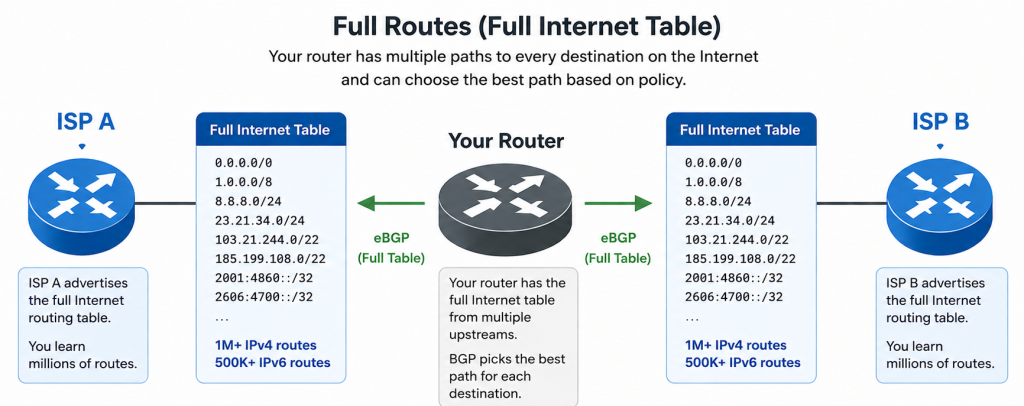
Full routes give you the most control over outbound traffic. If one provider has a shorter AS path to Google and another has a better path to Cloudflare, your router can make those decisions independently. Most ISPs and larger enterprise networks receive full routes because they want complete visibility into the Internet and the flexibility to build routing policy.
The downside is hardware requirements. A router receiving full routes needs enough memory and CPU to store and process the table. Older routers that handled full routes ten years ago may not have enough resources today. But if you are running a ten-year-old router, my argument is it’s probably time to upgrade.
Partial Routes
A partial routing table is exactly what it sounds like. Instead of receiving every Internet prefix, the provider sends only a subset.
There are several ways this happens. The upstream provider may apply some filters and logic to summarize the full routing table into something smaller. They may do things like summarize an entire /8 of IP space from one provider. They may also filter out, say /24 and /23 subnets. When providers do this, the traffic is sent to their default route. You, as the customer, are getting partial routes plus a default route from the upstream.
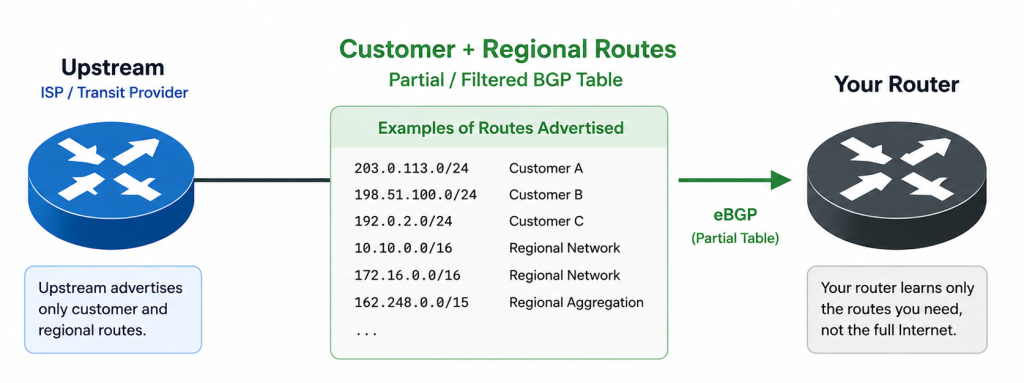
Partial routes reduce memory usage while still giving your router more visibility than a single default route.
Another example of partial routes can be found at an Internet Exchange (IX). If you peer at FD-IX, you are not learning the entire Internet through the route server. You are learning routes that belong to networks connected to the exchange. Traffic for those destinations stays local, while everything else continues toward your transit provider.
Customer Routes
Customer routes from a transit provider are just the routes from their direct customers. In other words, these are customers directly connected to them buying transit from them. This may or may not include peering routes. This is usually a checkbox labeled “default plus customer routes” on most forms.
Mixing Route Types
Most Internet service providers use a combination of route sources rather than relying on only one.
For example:
- Full routes from two transit providers.
- Exchange member routes from an Internet exchange.
The router evaluates all of those paths together before selecting the best route for each destination.
A smaller ISP might build a different design:
- Default route from its transit provider.
- Internet exchange routes from a local IX.
That approach keeps the routing table much smaller while still allowing local traffic to stay local through peering instead of crossing paid transit.
Which One Should You Use?
The answer depends on the size of your network and how much routing control you need.
| Default Route | 1 route | Small networks, branches, single-homed sites |
| Customer Routes | Hundreds to thousands | Better view using less router resources |
| Partial Routes | Thousands to hundreds of thousands | IX participants, filtered upstream feeds |
| Full Routes | Millions | Transit providers, large ISPs, advanced traffic engineering |
Many networks start with a default route because it is simple and requires very little hardware. You can do a default route with a $200 router. As traffic grows, peering becomes more important, or multiple transit providers are added; receiving more routes gives BGP better information to make forwarding decisions. Eventually, many service providers move to full routes because they want complete control over how traffic leaves their network. Better control means a better customer experience because BGP knows the better paths.
If I were just getting into the world of BGP and had a single upstream, I would ask for a default route. This is good for Enterprise and ISP customers alike. As my network grows, there is a decision to be made. If I am an ISP, I definitely want full routes from multiple providers. I then have a better view of the Capital I Internet from my perspective. The more transit providers and peerings I add, the better my traffic flows.
In a future article, I will touch on why you would want to do BGP in the first place. hint, BGP isn’t for everyone.
j2networks family of siteshttps://j2sw.com
https://startawisp.info
https://indycolo.net
#packetsdownrange #routethelight
Discover more from Justin Wilson (j2sw)
Subscribe to get the latest posts sent to your email.