

In this article
Let’s look at another BGP attribute, the Multi-Exit Discriminator, or MED. Two networks may interconnect in more than one location, and MED lets you attach a preference to the routes you advertise. An ISP might connect to the same upstream in Indianapolis and Chicago while advertising the same prefixes at both locations. The upstream now has two places where it can send traffic into your network.
Lower MED is preferred when the neighboring network compares those paths. Advertising MED 50 in Indianapolis and MED 200 in Chicago tells the neighbor you would rather receive the traffic in Indianapolis. There is one catch. The neighbor can ignore MED.
MED Influences the Other AS
MED crosses an eBGP session because it tells the neighboring AS which entry point you prefer. Local preference works differently because it stays inside your own AS.
Suppose an NBBC-connected ISP has two sessions with the same transit provider. The ISP advertises 203.0.113.0/24 from both locations, with MED 50 in Indianapolis and MED 200 in Chicago.
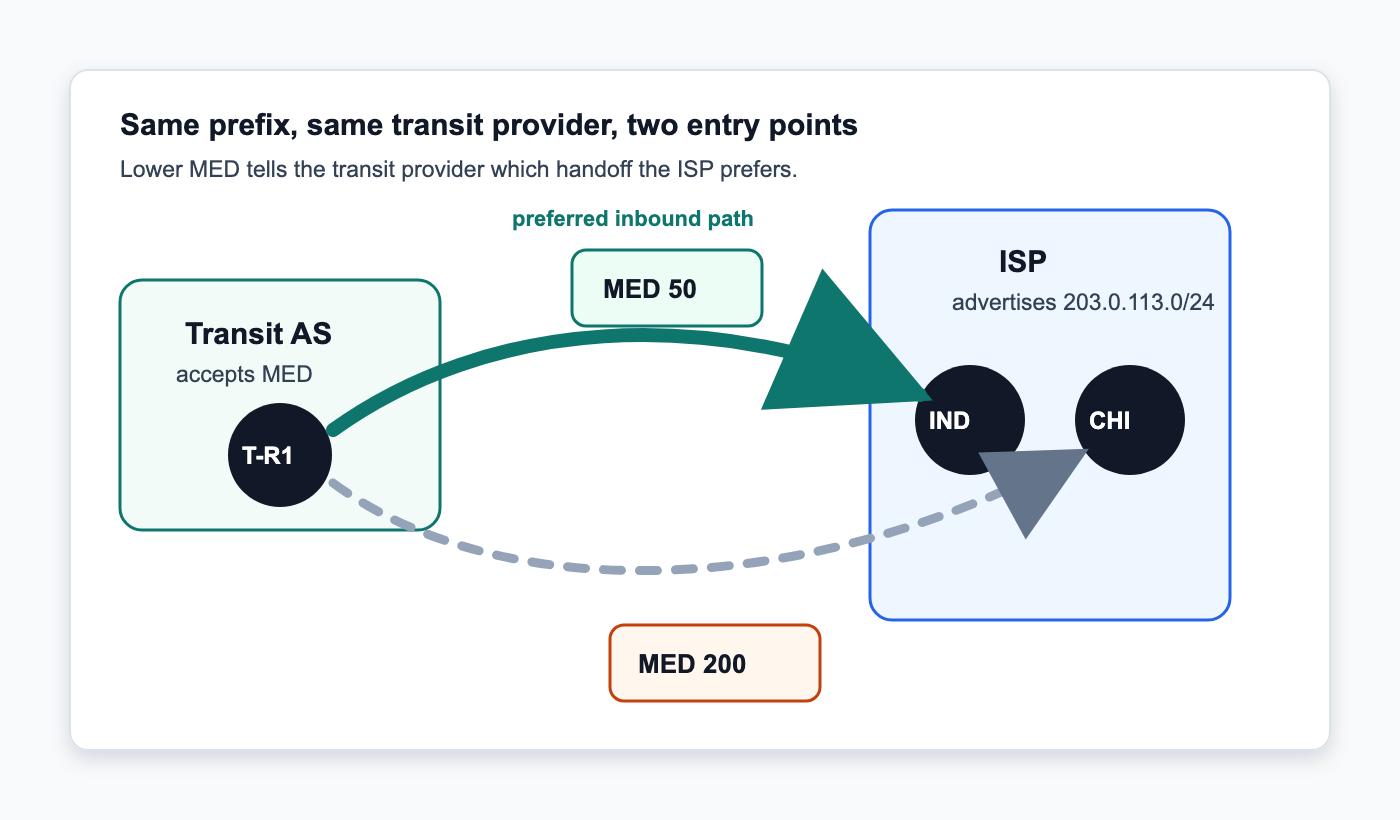
If the transit provider accepts MED and nothing earlier in its BGP decision process picks a winner, Indianapolis wins because 50 is lower than 200. Traffic from that provider enters the ISP there. If the Indianapolis route disappears, the Chicago advertisement is still there with MED 200.
MED Does Not Beat Every Attribute
MED is only one part of the BGP decision process. The neighboring AS may set local preference before MED ever gets considered. If Chicago receives local preference 200 and Indianapolis gets 100, Chicago wins even though it carries the higher MED. You cannot change that with MED because the receiving network controls its own local preference policy.
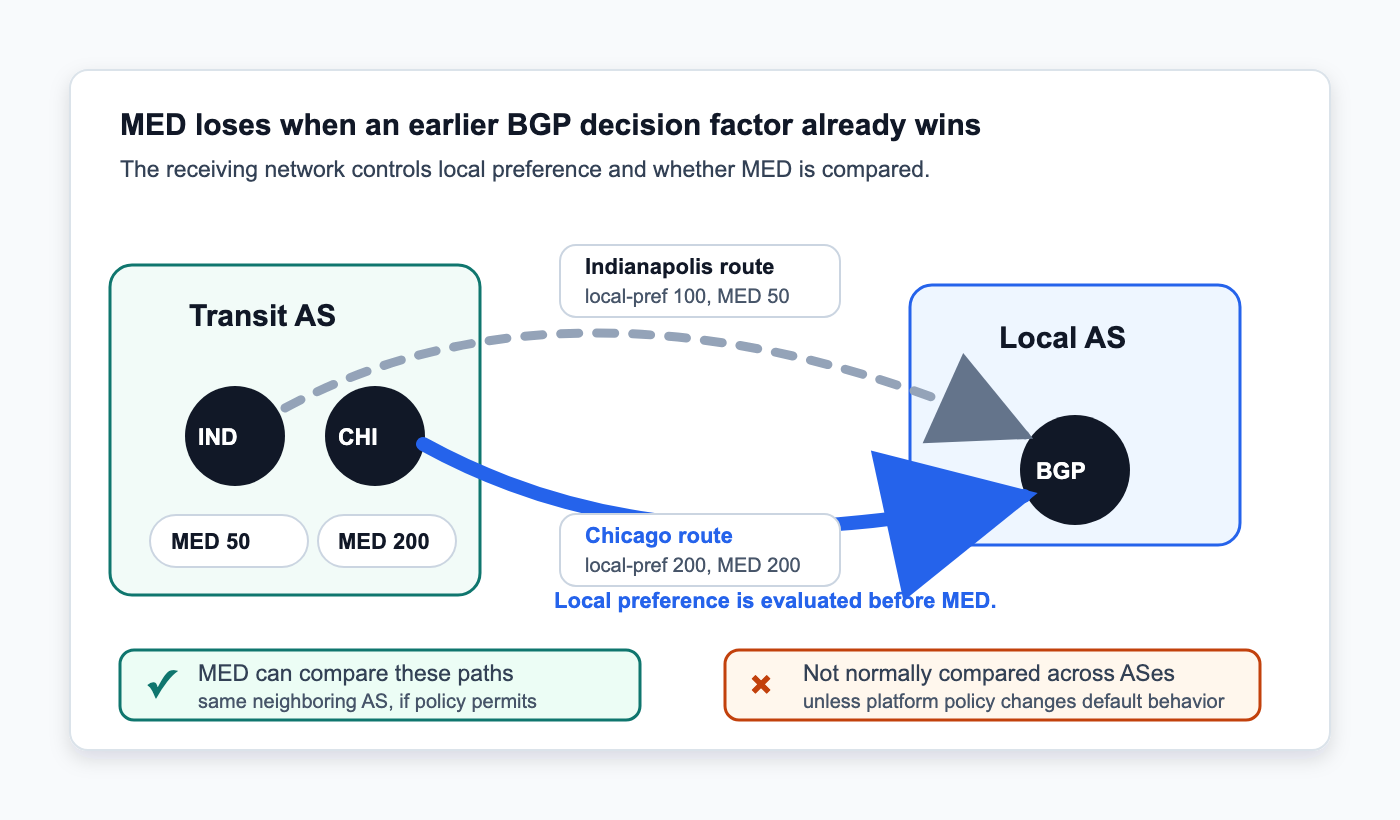
MED is also normally compared between routes learned from the same neighboring AS. If one route comes from AS64500 and another comes from AS64501, the router may never compare their MED values during normal path selection. There are platform-specific knobs that can change this behavior, so check the actual BGP configuration before assuming MED is part of the decision.
MED Works Well With Multiple Handoffs to One Network
MED fits well when two networks have several interconnections with each other. A regional ISP might connect to the same provider in Indianapolis and at another POP, with both sessions carrying the same routes.
Maybe Indianapolis has more transport capacity, or that is simply where you want most of the inbound traffic. Advertise a lower MED there while leaving the second session active with a higher value.
You are not withdrawing the backup or waiting for someone to change a route map during an outage. The routes stay in the BGP table. If the Indianapolis route disappears, the provider still has the other advertisement and can move traffic to it.
MED Does Not Control Outbound Traffic
MED influences how the neighboring AS treats routes you advertise to it. It does not tell your routers which exit to use when sending traffic in the other direction. Local preference handles that decision inside your AS.
You could prefer FD-IX for outbound traffic with local preference while using MED to influence where a transit provider sends traffic back into your network. The two directions do not have to match. Seeing packets leave through Indianapolis does not mean the return traffic enters there. The remote network makes its own BGP decision.
Troubleshooting MED
Start by confirming what your router is actually sending. Looking at the route in your local BGP table is not enough if an outbound route map changes MED during export.
Check the advertised route and verify the MED value after your export policy has been applied. If you expect MED 50 and the router is advertising 200, there is no reason to start troubleshooting the other network yet.
Next, find out whether the neighbor accepts MED. Some providers strip it, replace it, or simply do not use it for the policy you are trying to build. If the provider does not clearly document this, an email to the peer’s NOC can answer the question pretty quickly.
If the neighbor receives MED 50 and MED 200 but still selects the route carrying 200, look at what BGP considered before MED. Local preference is one of the first things I would check. AS path length matters too. If one route has a shorter path, BGP may select it before MED gets a chance to break the tie.
j2networks family of siteshttps://j2sw.com
https://startawisp.info
https://indycolo.net
#packetsdownrange #routethelight
Discover more from Justin Wilson (j2sw)
Subscribe to get the latest posts sent to your email.