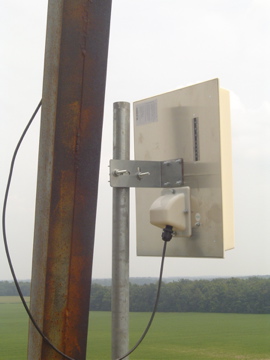

WISP tower random photos

I was going through some older hard drives and came across some of these photos of Baicells, Cambium and other gear on towers. These were installed for Wireless Internet Service Providers (WISPs). See below for those who don’t know what a WISP is. A Wireless Internet Service Provider (WISP) is a telecommunications company that delivers … Read more

Mikrotik RouterOS 7.14beta8 is out

https://librenms.icisky.net/dashboard/14 What’s new in 7.14beta8 (2024-Jan-22 21:07): !) rose-storage – moved SMB service in the RouterOS bundle;!) smb – removed legacy SMB service (replaced with newer and faster ROSE SMB service);*) bgp – allow to leak routes between local VRFs;*) bth – added simple “Back To Home Users” manager under IP/Cloud menu;*) console – added … Read more

Mikrotik Router OS 6.49.11 has been released

What’s new in 6.49.11 (2023-Dec-08 16:37): *) console – display “End-User License Agreement” prompt after configuration reset;*) defconf – use “WISP Bridge” default configuration mode for RBGrooveGA-52HPacn device;*) poe-out – improved “auto-on” mode for devices with single PoE-out port;*) pppoe-server – fixed connection count limit per license level;*) wireless – fixed “wlan1” default name for … Read more

Mikrotik Version 7.12 PSA

From the latest Mikrotik Newsletter. Because of the introduction of a new wireless package, we would like to bring to your attention thatRouterOS will now show upgrades only up to 7.12 if using an older version of the software. You willhave to first upgrade to 7.12, and only then will newer RouterOS versions become available.

What is BGP next-hop-self and why you should care?

In this blog post, we’ll demystify the concept of next-hop-self in BGP, why it’s crucial, and how it affects routing decisions. What Is Next-Hop-Self in BGP? In BGP, the “next hop” is the IP address used to reach a particular network or destination. The “next-hop” IP address is vital for making routing decisions and forwarding … Read more

Mikrotik Back to Home feature in RouterOS7

Back To Home is a convenience feature that configures your device for secure VPN access from anywhere in the world to your router and your network, even if your router does not have a public IP address, is behind NAT or Firewall. https://help.mikrotik.com/docs/display/ROS/Back+To+Home?fbclid=IwAR2-TWpPpxRUyExltWuPauwWZoAvQgIqOsV9qFLcpY4oIWllLytieJ8ezVQ

Mikrotik RotuerOS 7.8RC1 is out

What’s new in 7.8rc1 (2023-Feb-08 20:03): Changes in this release: !) storage – added new “rose-storage” package support for extended disk management and monitoring functionality (ARM, ARM64, Tile and x86) (CLI only);*) bridge – fixed DHCP packet flow when using DHCP snooping, HW offloading and “use-ip-firewall”;*) bridge – fixed possible DHCP packet corruption when using … Read more