
In this article
Visiting a data center for the first time can feel like stepping onto the bridge of a starship—cold, quiet, and packed with blinking lights, whirring fans, and security protocols that rival a James Bond movie. Whether you’re a network engineer preparing for a cross-connect, an IT pro inspecting your new rack space, or a client touring a colocation facility, knowing what to expect can help you make the most of the visit.
1. Before You Arrive: Access & Authorization
Paperwork First
Data centers take physical security seriously. Expect to fill out visitor access requests ahead of time or before you get to tour the facility. This usually includes:
- Showing a valid government-issued ID
- You will most likely get denied access if this is expired
- Your company’s name and the reason for the visit
- Name of your escort (if you’re not authorized solo access)
- Scheduled appointment time
Some facilities also require NDAs or even background checks.
Checking In
Once you arrive, you’ll likely go through a formal check-in process that includes:
- ID verification
- Issuance of a visitor badge
- Signing a logbook or electronic visitor log
- Briefing on security rules
Some data centers might even include biometric scans, man-trap entries, and escorted access for new visitors. This is all part of their onboarding process.

2. Data Center Etiquette & Dress Code
Dress Smart (and Warm)
The data center environment is cold—usually between 64°F–72°F (18°C–22°C) to keep servers cool. Dress in layers and wear closed-toe shoes. Open-toe shoes, shorts, and sleeveless shirts may not be allowed.
3. Touring the Facility
Depending on the purpose of your visit, you might be taken through:
- NOC (Network Operations Center): Where technicians monitor systems 24/7.
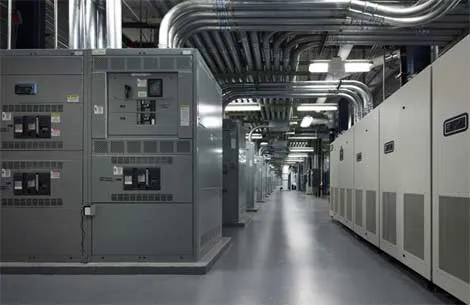
- Power Rooms: Showing off UPS systems, battery banks, and generators.
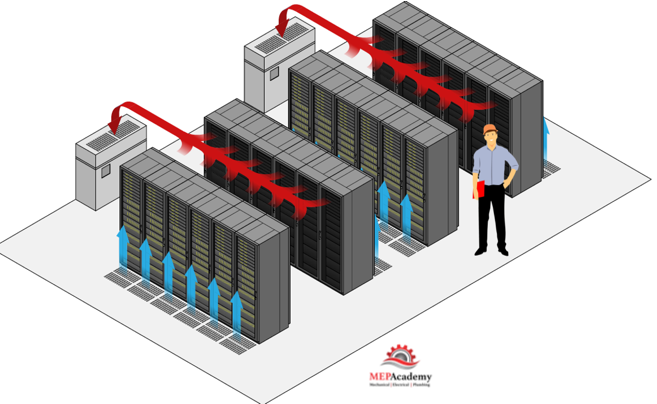
- Cooling Systems: Including CRAC units and possibly hot/cold aisle containment.
- Colocation Area: Where customers house their racks and equipment.
Pay close attention to the facility’s layout, power/cooling redundancy, and security controls. If you’re looking to colocate or peer, this is the time to ask questions.
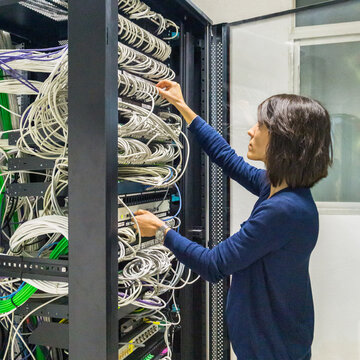
4. Hands-On Work
If you’re installing equipment or patching into another network, you’ll be taken to your specific cabinet or cage. Be prepared with:
- Labeling schemes
- Patch cables
- IP information and configurations
- A checklist or work order for tasks
You may be restricted to certain power circuits or have specific rules about cable routing and labeling. Always follow the site’s MOP (Method of Procedure) guidelines.
5. Monitoring & Documentation
Even if you’re not doing hands-on work, use your time wisely:
- Take photos (if allowed) of your equipment, cross-connects, and labeling.
- Check with NOC staff on the policy for taking photos.
- Document cabinet space, patch panel positions, and serial numbers
- Verify power feeds, port configurations, and uplink paths. Knowing A and B power can be helpful in troubleshooting.
If you’re with a group, assign someone to take notes and another to inspect physical connections or check ping/connectivity tests.
6. Be Ready for Surprises
Data centers can be busy places. Be ready for:
- Locked cabinets without the right key or wrong combination
- Patch cables being too short or the wrong type
- Your LOA not being on file or having the incorrect data
- Access delays due to holidays or change control windows
When in doubt ask the staff. They may want you to formally submit a ticket to keep in compliance with SLAs and what not.
Your first visit to a data center is part technical mission, part security checkpoint, and part guided tour. It’s a unique environment built for uptime, performance, and control. The more prepared you are, the more effective your visit will be—whether you’re installing gear, verifying a cross-connect, or just scoping the place out for future services.
Welcome to the core of the internet.
I have created a Digital Download for Patreon Subscribers. This is a printable Checklist for your first visit to the Data Center.
j2networks family of siteshttps://j2sw.com
https://startawisp.info
https://indycolo.net
#packetsdownrange #routethelight
Discover more from Justin Wilson (j2sw)
Subscribe to get the latest posts sent to your email.