In this article
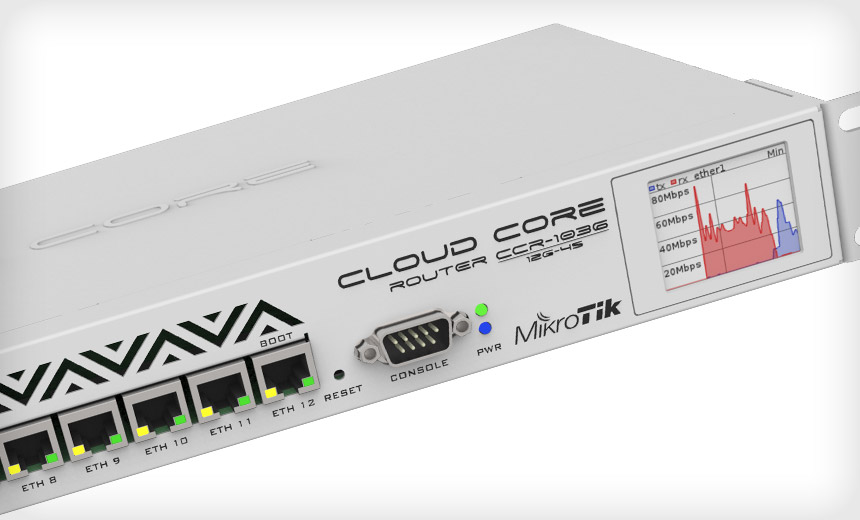
MikroTik routers are a favorite among ISPs, WISPs, and network engineers for their flexibility and cost-effectiveness. However, with that power comes complexity—and it’s easy to make configuration mistakes that can lead to network instability, security vulnerabilities, or outright outages. Whether you’re a seasoned engineer or just getting started, this post will walk you through the six most common MikroTik configuration errors and how to avoid them.
1. Misconfigured NAT Rules
The mistake: Applying a masquerade NAT rule to the wrong interface or without interface filtering.
Why it matters: This can lead to double NAT, internal routing issues, or prevent services like port forwarding from working correctly.
Example:
/ip firewall nat add action=masquerade chain=srcnat out-interface=ether1If ether1 isn’t the actual WAN interface, change this to the appropriate interface.
Fix: Use interface lists or dynamic detection methods.
/ip firewall nat add action=masquerade chain=srcnat out-interface-list=WAN2. Ignoring Interface Lists
The mistake: Hardcoding interface names across firewall rules and NAT instead of using interface lists.
Why it matters: When hardware changes or WAN interfaces failover, manually updating every rule is error-prone and time-consuming.
Fix: Create and use interface lists to group interfaces logically (WAN, LAN, VPN).
/interface list add name=WAN
/interface list member add list=WAN interface=ether1
3. Insecure Winbox and API Exposure
The mistake: Leaving Winbox, API, or SSH services open to the entire internet.
Why it matters: MikroTik has had past vulnerabilities, and exposing management interfaces to the public internet invites brute-force and exploit attempts.
Fix:
- Restrict services to internal subnets.
- Use a secure VPN for management access. Wireguard, l2tp, or even Zero Tier.
/ip service set winbox address=192.168.88.0/24
/ip service disable www
4. Missing or Incomplete Firewall Rules
The mistake: Either having a completely open firewall or over-restrictive rules that block essential services like DNS, DHCP, or established connections.
Why it matters: A bad firewall config can leave your router vulnerable or cause user complaints due to broken connectivity.
Fix: Use a basic firewall template and understand connection states.
/ip firewall filter
add chain=input connection-state=established,related action=accept
add chain=input connection-state=invalid action=drop
add chain=input in-interface-list=WAN action=drop
5. Static IP Assignments Without DHCP Leases or Comments
The mistake: Assigning static IPs manually on devices without documenting them in the MikroTik DHCP lease list.
Why it matters: This leads to IP conflicts, confusion during troubleshooting, and lack of visibility.
Fix: Use static DHCP leases and comment everything.
/ip dhcp-server lease add mac-address=AA:BB:CC:DD:EE:FF address=192.168.88.10 comment="Camera 1"
6. Misunderstanding Bridge vs. Router Mode
The mistake: Mixing routing and bridging without understanding the implications—especially on wireless CPE or CAPsMAN deployments.
Why it matters: This can break isolation between networks, affect performance, and make troubleshooting complex.
Fix: Understand your topology. Use bridge mode for L2 forwarding and router mode for L3 segmentation. Always set appropriate VLAN filtering on bridges and ports.
/interface bridge add name=bridge1 vlan-filtering=yes
/interface bridge port add bridge=bridge1 interface=ether2
Conclusion
MikroTik offers incredible control and flexibility, but that also makes it easy to overlook critical details during configuration. By avoiding these six common mistakes—ranging from NAT misfires to firewall blunders—you’ll have a more secure, stable, and manageable network.
Bonus Tip: Always document your configs, use export files, and test before deploying changes in production. A little planning goes a long way in preventing downtime and stress.
Need more MikroTik tips?
Stay tuned for our upcoming posts on BGP filtering, IPv6 rollouts, and Zero Trust MikroTik setups.
https://j2sw.com
https://startawisp.info
https://indycolo.net
#packetsdownrange #routethelight
Discover more from Justin Wilson (j2sw)
Subscribe to get the latest posts sent to your email.